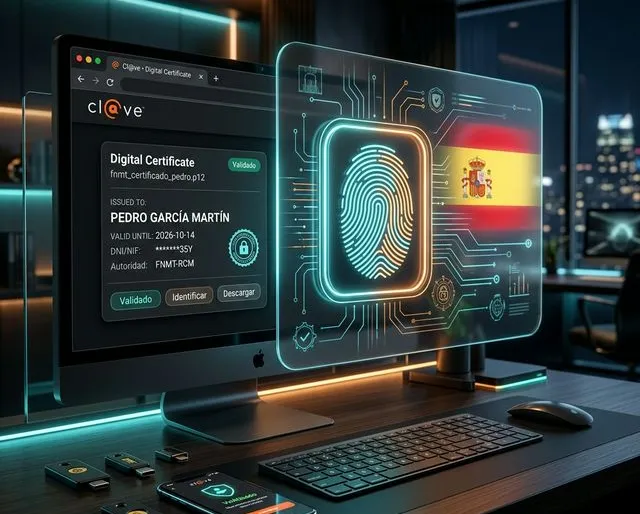
Cl@ve, FNMT and DNIe: digital identity guide for Spain
Spain’s public administration is among the most digitally advanced in Europe — yet accessing it as a foreign EU citizen is a genuine technical challenge. Your green NIE certificate has no chip: you simply do not exist digitally. The solution? Obtain the FNMT Digital Certificate (browser-installed file) then activate the Cl@ve system (mobile code). Follow this guide to avoid weeks of administrative deadlock.
Spain consistently ranks among Europe’s most advanced nations for e-government. According to the European Commission’s DESI index, it regularly outperforms the EU27 average for the digitalisation of public services. Hacienda, the Seguridad Social, the DGT (driving licences), fines, official notifications — everything flows through government Sedes Electrónicas.
The problem? This system was built around the Spanish chip-embedded national ID card (DNIe) and the non-EU resident card (TIE). If you are British, German, Dutch or Belgian, you have neither.
“La sede electrónica permite al ciudadano acceder a los servicios públicos de manera segura desde cualquier lugar.” — Agencia Tributaria (Hacienda)
I lived this situation firsthand when I arrived in Altafulla. Green NIE in hand, I tried to log in to Hacienda to validate my Autónomo registration — impossible. The portal demanded a chip card I did not have. That one bureaucratic gap cost me three weeks of complete deadlock. This guide exists so you do not repeat that.
1. Why your Green NIE is a digital dead end
When an EU citizen registers at the local town hall (empadronamiento) and formally establishes residence, they receive the Certificado de Registro de Ciudadano de la Unión — commonly called the “green NIE” after its historically green colouring.
This document contains your NIE number, your Spanish tax identifier. It is a simple paper or card document. No chip. No card reader. No PIN. Technologically, you do not exist in the Spanish digital ecosystem.
✓ Good to know
- Since 2023, some offices have been issuing the NIE in plastic card format.
- Even in this case, there is no electronic chip — the digital problem remains entirely intact.
- Do not confuse this with the TIE (reserved for non-EU citizens).
2. Cl@ve vs FNMT Certificate: the comparison
On every Spanish government portal, you will face two main authentication options:
| Criterion | FNMT Digital Certificate | Cl@ve System |
|---|---|---|
| Type | File installed in the browser | Mobile app + SMS |
| Scope | Hacienda, SS, Notaries, SEPE, everything | Hacienda, SS, DGT, standard services |
| Physical visit | Yes (once only) | No (if you already have the FNMT) |
| Portability | Tied to browser (exportable as .p12) | Usable on any device |
| PDF signature | Yes (via AutoFirma) | No |
3. The optimal pathway for European expats
Do not waste time with the Cl@ve registered letter option (it takes weeks and frequently gets lost). The most efficient route is direct:
- Pre-configuration (15 min): Install the configuration software from sede.fnmt.gob.es. Important: use the same browser throughout the entire process.
- Online application (30 min): Enter your NIE on the FNMT portal to receive a Request Code by email.
- Physical accreditation (1h): Book an appointment (Cita Previa) at an Agencia Tributaria (Hacienda) branch or an authorised town hall. Bring your Code, your Passport and your green NIE certificate.
- Download (10 min): Once validated, download the final certificate on the same PC. It installs directly into your browser.
- Backup (.p12): Critical! Export your certificate in
.p12format with a strong password and store it securely. Without this, any change of computer means starting the entire process from scratch. - Cl@ve activation (5 min): Use your certificate to register at clave.gob.es. Link it to a Spanish phone number.
✓ Field advice — Amory, Altafulla
- For Cita Previa appointments in Tarragona, slots disappear fast: log in early in the morning.
- Town halls in Torredembarra or Altafulla sometimes have more available slots than the central office.
- Consider booking your appointment BEFORE submitting the online request if waiting times are long.
4. Cl@ve PIN vs Cl@ve Permanente
- Cl@ve PIN: For quick transactions (paying a fine, checking penalty points). Temporary code received via the app.
- Cl@ve Permanente: For complex processes (taxes, social security, healthcare). Password + SMS code (2FA).
5. AutoFirma: the signing software (and its Mac bugs)
In Spain, you will frequently need to digitally “sign” PDF forms. For this, you must install AutoFirma.
✓ Warning: Mac users (M1/M2/M3)
- AutoFirma is notoriously buggy on macOS — you are not alone if it refuses to launch.
- Install the latest version of Java (JRE 17+) before attempting to run it.
- Allow the application in System Settings under 'Privacy & Security'.
- If Chrome blocks it, switch to Firefox or Safari for your signatures.